


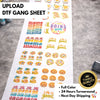
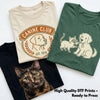
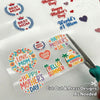
Streamline your apparel production with the "Upload DTF Gang Sheet" service from DTF Delaware. Simply upload your high-resolution PNG designs with transparent backgrounds, select your desired sheet size, and receive professionally printed DTF transfers ready for heat application.

DTF Printing: Tutorial
Description
How to place an order?
- Select your desired print size.
- Click on "add to cart".
- Proceed to the checkout by clicking on the appropriate button.
- Prepare your PNG files following the step-by-step video tutorial provided here
- Upload your PNG files (ensuring they have a transparent background).
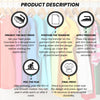
Application Instructions
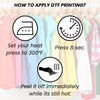
Heat Press:
- 300–320°F
- 8–10 seconds
- Medium to firm pressure
- Hot or cold peel
- Second press: 2–3 seconds with parchment/Teflon (optional)
Home Iron:
- Highest heat setting (no steam)
- Press firmly for 15–20 seconds
- Cold peel
- Quick 5-second second press (optional-recommended )
Thick Garments (hoodies, fleece):
- If needed, lower heat to 290–300°F
- Avoid overheating
Care Instructions
- Wait 24 hours before the first wash
- Wash inside out in cold water, gentle cycle
- Air dry or tumble dry on low heat
- Do not use bleach or fabric softeners
- Do not iron directly on the transfer
- For ironing: turn garment inside out or cover with parchment
Notes:
- Teflon is not required on first press
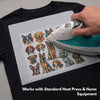
- Works on any garment
File Format Requirements
- Uploaded File Format Must Be PNG.
- Width of the Canvas Has To Be 22".
- Transparent Background Is A Must.
- Resolution: 300 DPI.
Note: Our Printers Are Designed To Print With Ultimate Precision and Jawbreaking Quality, We Will Print What You Upload. Make Sure To Have High Quality / High Resolution Artwork Uploaded.
Shipping Information
Expect your order to be processed within 1 business day